
Essential Security Tips for Android App Creators

Why Android Creators Need Smarter Online Security Today
If you’ve spent time building Android apps — whether through AppsGeyser or traditional tools — you probably already know how much of the process depends on being online. You’re downloading templates, browsing UI patterns, grabbing code snippets, testing ads, jumping between dashboards… it’s nonstop.
And because creating apps is so accessible now, a lot of us build in places that weren’t really designed for development work: coffee shops, shared home networks, airports, anywhere we can open a laptop. It’s convenient, but it also opens doors to problems most creators don’t think about until something goes wrong.
The truth is: the more we build online, the more we’re exposed. And modern app creators need security habits that match the way we actually work — fast, flexible, and usually on the move.
How App Development Workflows Accidentally Create Security Gaps
When I first started making Android apps, I didn’t think twice about where I grabbed my assets from. If an icon pack looked clean, I downloaded it. If a plug-in promised to save ten minutes, I installed it. And of course, I used café Wi-Fi without giving it much thought.
Looking back, I realize how many accidental security gaps we create just by trying to save time:
- Downloading design files from mirror sites because the original link was slow
- Jumping onto hotel Wi-Fi to send a test APK to a friend
- Syncing work folders between devices without checking encryption settings
- Copying and pasting API keys into temporary notes “just for a minute”
- Using old plug-ins that haven’t been updated since Android Pie
None of this feels dangerous in the moment, but these small habits stack up. And once you realize how easy it is for a compromised Wi-Fi network or a bad download to mess with your work, you start paying more attention.
Understanding the Threats That Target Android Developers
A lot of developers imagine cyber threats as something targeted at big companies — not people building apps from their bedrooms or laptop stations at Starbucks. But attacks often hit the easiest target, not the most valuable one.
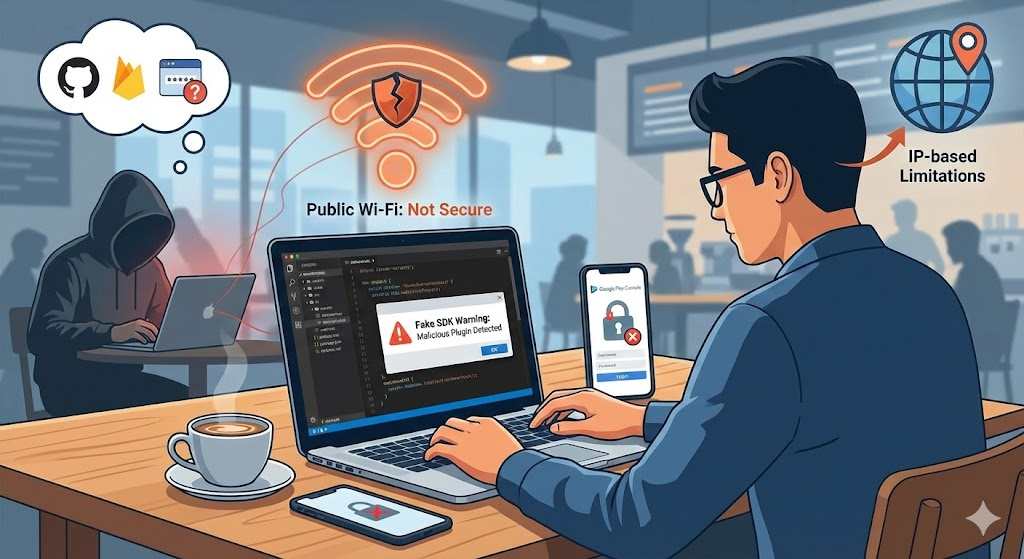
Public Wi-Fi and unsafe networks
If you’ve ever uploaded a build from a coffee shop, your data was moving across a network you can’t see into. Anyone on the same network can attempt to intercept unencrypted traffic.
Fake SDKs or plugin bundles
I’ve seen “free” SDK zip files circulating in developer groups that contain extra files nobody asked for. These can introduce malware without much effort.
Account-level attacks
It’s easy to forget how many accounts developers rely on: Google Play Console, GitHub, Firebase, analytics platforms, monetization networks. One weak password can ripple through everything.
IP-based limitations
Sometimes, you hit a wall accessing tools or testing how your app behaves in another country. This is why so many developers look up practical guides like how to change your ip address on android — not for hacking, but simply to troubleshoot global user flow.
These threats aren’t dramatic, but they’re real. And the more you understand them, the easier it is to work safely.
Modern VPN Tools and How They Support App Creators
A VPN isn’t just for privacy-focused users anymore. It has genuinely become a helpful tool for Android creators who hop between networks or test apps across countries.
A good VPN encrypts your connection, which means your login sessions, download links, build uploads, and asset transfers stay private — even on unreliable networks. If you’ve ever pushed an APK to a teammate while traveling, you know how comforting that can feel.
VPNs also help with more practical needs, like accessing region-specific dashboards or previewing content from different countries. For this kind of work, using a reliable VPN for Android makes a noticeable difference. X-VPN, for example, is popular among creators because it maintains stable speeds and offers a broad selection of server locations. Those two things alone can make global testing much easier.
You don’t need to be a security expert to get value from a VPN. It simply lets you work with fewer worries about who else is on the same network.
Key Scenarios Where Developers Benefit from Region-Shifted Testing
If you’ve ever tried testing an app that includes local settings — currency, language, content, or geo-specific features — you already know how important location-based behavior can be.
Here are a few situations where shifting your region is genuinely useful:
Localized content checks
If your app displays different menus, prices, or translations, you need to verify that they load correctly.
App Store preview differences
Google Play results change depending on where the user is located. Rankings, recommended apps, and screenshots vary country by country.
Troubleshooting login or API issues
Sometimes an issue isn’t your code — it’s a regional restriction or routing problem. Testing from another virtual location helps isolate the cause.
Access to restricted documentation
Some developer portals or API references are limited by region. A location-switching setup helps you reach what you need without flying across the world.
These situations may not appear every day, but when they do, having the ability to simulate another location makes the work smoother.
Practical Security Habits Every Android Creator Should Build
You don’t need a full cybersecurity setup to protect yourself — just a few steady habits that fit naturally into your workflow:
- Keep Android Studio and all plug-ins updated
- Enable two-factor authentication for every major account
- Use long, unique passwords (a password manager helps a lot)
- Only download assets from known, trustworthy sources
- Store sensitive files or API keys in secure locations
- Avoid transferring builds over unpredictable networks
- Separate personal browsing from your development environment
- Turn on a VPN when switching between public networks or traveling
- Verify third-party scripts before integrating anything into your app
These habits don’t slow you down. In the long run, they save time by preventing headaches.
Conclusion: Building With Confidence in a Connected World
App creators today work fast, share often, and build across different networks and devices. That flexibility is one of the best parts of being an Android developer — but it also means staying mindful of the risks that come with constant connectivity. With a few thoughtful security habits and the right tools, you can protect your work, your accounts, and the time you put into every project. The goal isn’t to be perfect — it’s to build safely enough that you can focus on what matters most: creating apps people enjoy using.