
How to Convert Your Website into a Mobile App
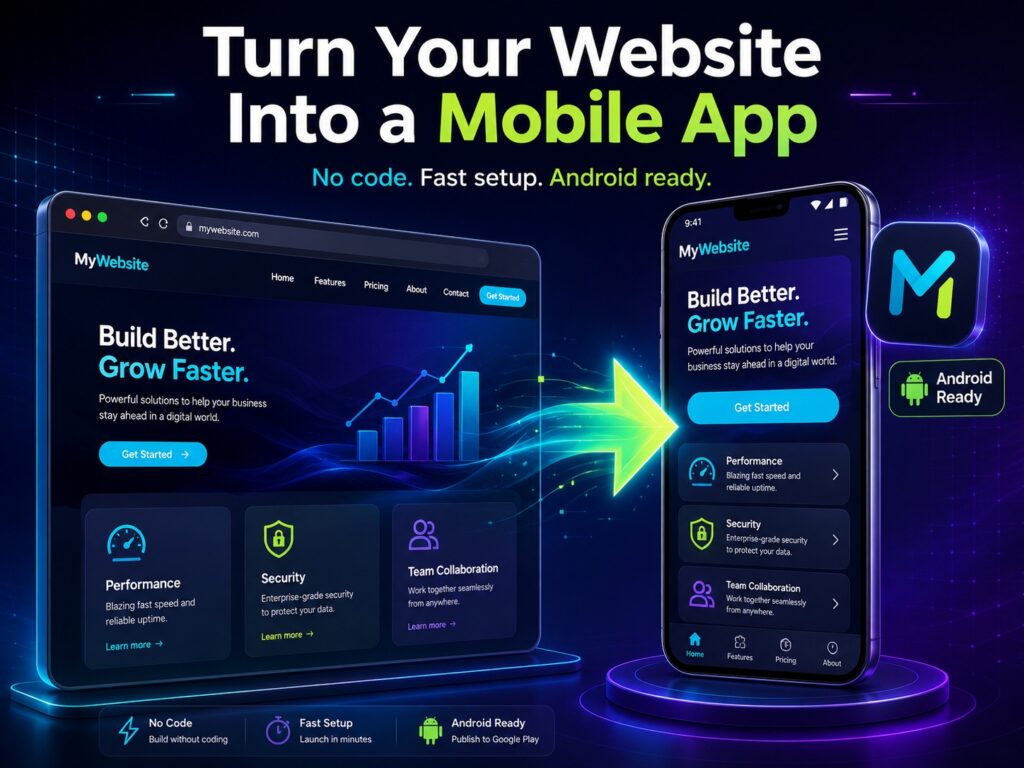
Your website already has your content, products, services, contact forms, booking pages, or customer area. Turning it into a mobile app gives users a faster way to return to your brand from their phone home screen.
With AppsGeyser, you can convert your website into an Android app without coding. You can use your existing website URL, add app branding, customize the user experience, and prepare the app for sharing or publishing.
This guide explains how website-to-app conversion works, what types of websites can become apps, which features you can add, and when a website app is a better choice than a PWA or custom native development.
If you only need an Android APK file from your website URL, use this focused guide: convert website to APK
Why Turn a Website into a Mobile App?
Mobile is no longer just another channel; it has become the front door for your audience. As of July 2025, smartphones account for 64% of all global web traffic, with 96% of the world’s online population accessing the internet from a mobile device. This means that 4.32 billion people are scrolling, tapping, and purchasing on small screens every single day.
They’re doing it for hours. The average person now spends 4 hours and 37 minutes per day on their phone, checking it 58 times – about once every 15 minutes of their waking life.
But here’s the interesting thing: 90% of that mobile time is spent in apps, not browsers. And brands see up to 157% higher conversion rates when users switch from the mobile web to a dedicated app.
Push notifications then supercharge retention, increasing 90-day stickiness by more than 100% and, in some verticals, providing up to 820% better user retention compared to sending none at all.
Where attention goes, money follows. In the first 250 days of 2024, global consumer spending in app stores exceeded $100 billion and is still increasing. If your business relies solely on a mobile-responsive website, you are meeting users where they spend only 1/10 of their time on mobile devices.
Mobile is the primary access point for many internet users. DataReportal’s April 2026 global update reports 5.83 billion unique mobile users worldwide and 6.12 billion internet users globally.
For website owners, this means a mobile-friendly website is important, but an app can add another layer of convenience. Instead of asking users to search, type a URL, or return through social media, your app gives them direct home screen access.
A website app can help with:
- repeat visits;
- stronger brand visibility;
- push notifications;
- faster access to key pages;
- customer retention;
- mobile-first engagement;
- app store presence;
- monetization opportunities;
- easier access for loyal users.
An app should not replace your website. It should become an additional channel for people who already want easier access to your content, store, services, or community.
How Website-to-App Conversion Works
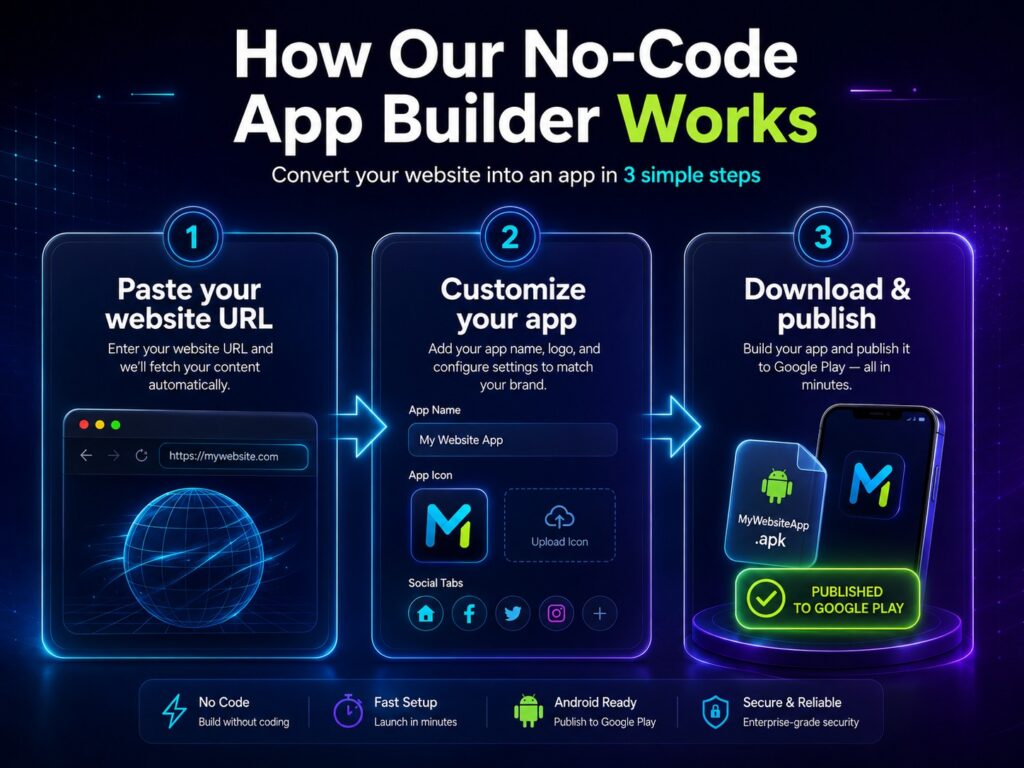
Website-to-app conversion uses your existing website as the foundation of the app. Instead of rebuilding all content from scratch, the app loads your website inside a mobile app environment and adds app-specific elements.
For many projects, this is faster and more affordable than native development.
It works best when your website is:
- mobile-friendly;
- fast;
- secure;
- easy to navigate;
- useful for returning users;
- built around content, products, services, booking, community, or customer access.
Android WebView is commonly used to display web content inside Android apps. Android Developers describe WebView as a way to display web pages, handle navigation, and integrate web content inside an app.
How to Convert a Website into an App with AppsGeyser

Step 1. Choose the Website App Template
Start with the AppsGeyser Website App template. It is made for users who want to turn a website into an Android app without coding.
Step 2. Paste Your Website URL
Copy your website URL and paste it into the builder. Use the public https:// version of your website.
Avoid using admin URLs, local development URLs, staging links, or temporary preview links.
Step 3. Add App Name and Branding
Add the app name, upload an icon, and customize the app’s appearance.
Your app name and icon should match your brand. Users should immediately understand what the app is when they see it on their phone.
Step 4. Add App Features
A website app becomes more useful when it offers app-specific convenience.
Depending on your project, you can add:
- push notifications;
- navigation tabs;
- contact buttons;
- social media links;
- app icon;
- splash screen;
- monetization;
- analytics;
- offline cache, if available for your setup;
- publishing preparation.
Do not think of the app as only a wrapper. Think of it as a more convenient mobile access point for your users.
Step 5. Preview and Test the App
Before publishing or sharing your app, test it on a real Android device.
Check:
- page loading;
- navigation;
- login;
- forms;
- checkout;
- contact buttons;
- images;
- internal links;
- external links;
- pop-ups;
- cookie banner;
- mobile menu.
Google Play requires apps to provide a stable, responsive, and engaging experience. Apps that crash, do not load, or lack basic utility may violate Google Play functionality requirements.
Step 6. Publish or Share the App
After testing, you can prepare the app for distribution.
You may need:
- app icon;
- screenshots;
- app description;
- privacy policy;
- app category;
- support contact;
- tested app package;
- clear explanation of what the app does.
If you plan to publish on Google Play, remember that new apps must use Android App Bundle, or AAB, as the publishing format. This requirement has applied to new apps on Google Play since August 2021.
Watch the quick video below to see how our no-code tool can turn a live website into a mobile app ready for publishing in just a few clicks.
What Types of Websites Can Become Mobile Apps?
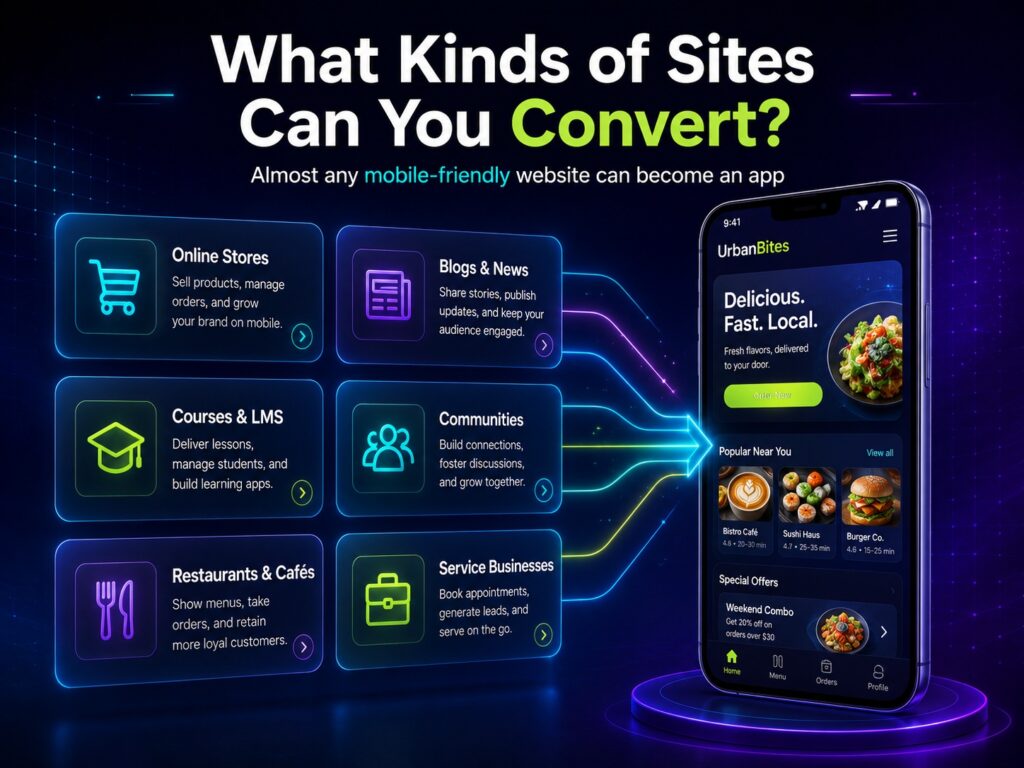
WordPress Website to App
A WordPress website can become an app for readers, customers, students, or community members. This works especially well for blogs, magazines, educational sites, and business websites.
Shopify Store to App
A Shopify store can become a mobile shopping app if the product catalog, cart, login, and checkout work well on mobile.
A store app can help users return faster, browse new products, and receive updates about sales or new arrivals.
WooCommerce Store to App
WooCommerce stores can also be converted into apps. Before conversion, test product filters, product pages, cart, account pages, coupon fields, and checkout on mobile.
Wix Website to App
A Wix website can become an app if it is public, responsive, and accessible through a normal URL. This can work for portfolios, service websites, restaurants, events, and local businesses.
Business Website to App
A service business can use an app to give users fast access to services, booking forms, contact pages, pricing, FAQs, case studies, and support.
Blog or News Website to App
Blogs and news websites can benefit from direct access and push notifications. Instead of waiting for users to find new content through search or social media, you can bring updates directly to their device.
Online Course Website to App
Course websites can use an app for lesson access, announcements, reminders, student dashboards, and learning resources.
Community or Membership Website to App
Communities, forums, and membership websites can use apps to increase repeat visits and make it easier for members to return.
AI-Built Website to App
If you built a web project with Replit, Lovable, or another AI development tool, you can turn the AI public URL into an Android app.
Features You Can Add to a Website App
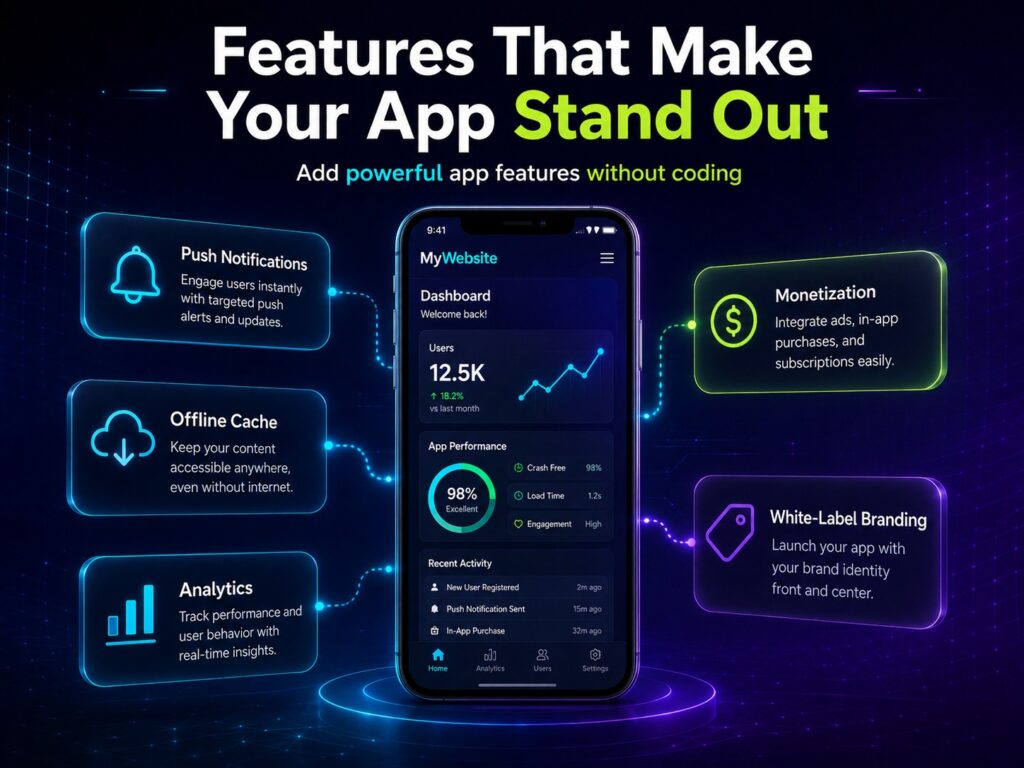
Push Notifications
Push notifications help you bring users back to your app. They can be used for new posts, discounts, booking reminders, product updates, community alerts, or course announcements.
App Icon and Home Screen Access
An app icon keeps your brand visible on the user’s phone. This is useful for businesses, stores, blogs, communities, and services that depend on repeat visits.
Navigation Tabs
Tabs can make your app easier to use. For example, you can add tabs for Home, Store, Blog, Contact, Support, YouTube, or Account.
Social Media Links
If your brand is active on social platforms, you can add quick links to Facebook, YouTube, Instagram, TikTok, or other channels.
Monetization
If your app has traffic, monetization features can help you earn revenue. This can be useful for blogs, content websites, entertainment websites, and community apps.
Offline Cache
Offline cache can help users access recently loaded content when connection quality is poor. This is especially useful for content-heavy websites, guides, and educational resources.
Analytics
Analytics help you understand how users interact with your app, which pages they open, and how often they return.
Publishing Support
Publishing support is useful if you want to prepare your app for Google Play. You need a complete store listing, tested app flow, screenshots, description, and privacy policy.
Website App vs PWA vs Native App
| Option | Best For | Pros | Cons |
|---|---|---|---|
| Website App | Existing websites, small businesses, blogs, stores | Fast, no-code, uses existing website, app icon, Android app format | Depends on website quality |
| PWA | Browser-first web projects | Lightweight, installable from browser, no app store required | Not the same as a traditional app store app |
| Native App | Complex products and custom UX | Best performance, deep device integration | Expensive and slower to build |
| Website to APK | Fast Android testing or direct APK creation | Quick URL-to-APK flow | Narrower than full mobile app strategy |
When a Website App Is Enough
A website app is usually enough when:
- your website already works well on mobile;
- you want to launch quickly;
- you need a low-cost app solution;
- your content already exists on the website;
- your app does not need complex native features;
- your goal is repeat visits, push notifications, and easier access;
- you want to test app demand before investing in custom development.
This makes website-to-app conversion a strong option for blogs, stores, service businesses, restaurants, local companies, course websites, events, and communities.
When You Need Native App Development Instead
A website app may not be enough if you need:
- complex native interface;
- advanced offline functionality;
- heavy GPS, Bluetooth, camera, or sensor integration;
- complex mobile game mechanics;
- marketplace logic;
- real-time chat with deep native features;
- advanced background processes;
- custom Android and iOS experiences.
In these cases, a website app can still work as an MVP, but native development may be better for the final product.
How to Prepare Your Website Before Conversion
Before turning your website into an app, improve the mobile version.
Check:
- HTTPS;
- mobile layout;
- page speed;
- responsive images;
- mobile navigation;
- login pages;
- forms;
- checkout;
- cookie banners;
- pop-ups;
- privacy policy;
- internal links;
- broken pages.
Android Developers recommend mobile-friendly practices for web apps, including proper mobile layout handling and viewport metadata.
Can You Publish a Website App on Google Play?
Yes, but the app must provide a useful and stable experience.
Google Play does not allow apps that crash, do not load, lack basic utility, or fail to provide a stable and engaging user experience.
Also, if your app mainly displays a website, make sure you have permission to use that website. Google Play’s spam policy states that apps should not primarily provide a WebView of a website without permission from the website owner or administrator.
Before publishing, prepare:
- app name;
- app icon;
- screenshots;
- description;
- privacy policy;
- support email;
- tested app flow;
- clear value for users.
Can You Make an iOS App Too?
AppsGeyser is primarily focused on Android app creation. If your project also needs iOS support, you can request help with the iOS process.
A practical workflow is:
- Convert the website into an Android app.
- Test the app with users.
- Improve the mobile website and app experience.
- Prepare app store materials.
- Request iOS support if needed.
This helps you validate demand before investing in a broader app strategy.
FAQ: Website to Mobile App
Can I convert my website into a mobile app for free?
Yes. AppsGeyser lets you create an Android app from your website without coding.
What is the best way to turn a website into an app?
If your website already works well on mobile, the fastest option is to use a no-code website app builder. You can paste your URL, add branding, customize features, and test the app on Android.
Can I convert a website into an Android app?
Yes. You can convert a live website URL into an Android app with AppsGeyser.
Can I convert a website into an iOS app?
AppsGeyser focuses on Android app creation, but iOS support may be requested depending on your project needs.
Is a website app better than a PWA?
It depends on your goal. A PWA is useful for browser-first access. A website app is better if you want an Android app experience, app icon, and app distribution options.
Do I need coding skills?
No. You do not need Android Studio, Java, Kotlin, or mobile development experience.
Can I add push notifications?
Yes, push notifications can be added depending on your app setup. They are useful for updates, promotions, reminders, and new content.
Can I publish my website app on Google Play?
Yes, but the app must be stable, useful, and compliant with Google Play policies. Google Play requires apps to provide a stable, responsive, and engaging user experience.
Can I convert WordPress, Shopify, Wix, or WooCommerce into an app?
Yes. If the website has a working public URL and performs well on mobile, it can usually be converted into an app.
Will website updates appear in the app?
In most cases, yes. If the app loads your live website, updates made on your website can appear inside the app.
When should I build a native app instead?
Choose native development if you need complex device integration, advanced offline mode, custom mobile UI, heavy performance, or advanced Android and iOS features.
Conclusion
Converting your website into a mobile app is a practical way to give users faster access to your content, products, services, or community. Instead of rebuilding everything from scratch, you can use your existing website as the foundation and add app-focused features like branding, navigation, push notifications, monetization, analytics, and publishing support.
If your goal is only to create an Android APK file, follow the Website to APK guide. If you want to build a stronger mobile channel around your website, start with the AppsGeyser Website App template.
Ready to build?
Click “Create App”, paste your URL, and watch your website become a mobile app while your coffee is still hot. Launch on Android today – and when you’re ready, we’ll convert that Android app to iOS upon request.
Explore Step-by-Step App Creation Tutorials
Convert your Google Site into a mobile app
Turn your Wix website into a mobile app
Convert a Gamma app page into a mobile app