ChatGPT Apps for Video Creation: Which Ones Actually Edit Video?
Artificial intelligence has changed how people approach video production. Tasks that once required hours of manual work, including writing scripts, organizing footage, creating captions, and assembling scenes, can now be assisted by AI-powered applications. ChatGPT has become part of this process, helping creators move from an initial idea to a more organized production workflow.
However, there is an important distinction between an application that helps plan a video and one that can actually edit it. Some ChatGPT-connected tools generate scripts or suggest scenes, while others can work with uploaded footage, arrange clips, and support further editing.
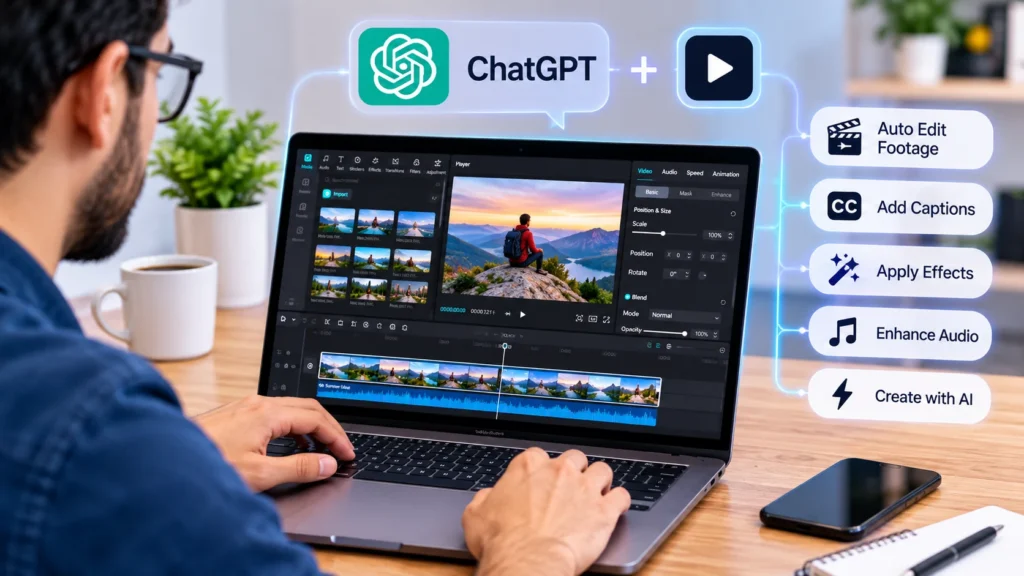
For creators looking to move beyond text-based assistance, CapCut’s ChatGPT video generator is one option worth exploring. Its connected workflow brings conversational instructions and video production capabilities together, helping users develop editable drafts and continue refining them in a video editor.
Understanding what these applications can and cannot do makes it easier to choose the right solution. Here is a closer look at the different options and the editing capabilities that matter most.
What Makes a ChatGPT Video App a Real Editing Tool?
Not every application associated with ChatGPT should be considered a video editor. Some tools provide creative assistance without interacting with video files or editing timelines.
For example, asking ChatGPT to write a YouTube script or suggest a sequence of scenes does not actually modify a video. These activities are useful during pre-production, but they are different from trimming footage, arranging clips, adjusting audio, and producing an exportable project.
A genuinely useful video-editing application should provide several practical capabilities:
- Footage organization: Working with uploaded clips and identifying useful sections.
- Timeline editing: Arranging scenes, adjusting their duration, and changing their order.
- Caption management: Preparing subtitles and making changes to their wording or timing.
- Visual adjustments: Supporting transitions, effects, filters, and other creative elements.
- Audio control: Helping organize music, voiceovers, and sound effects.
- Export preparation: Making it possible to review and produce the finished video.
The strongest applications combine AI assistance with an editing environment where users can inspect and modify the actual project.
ChatGPT Apps and Tools Worth Considering for Video Creation
Different applications serve different purposes. Some focus on generating visual content, while others provide more complete editing workflows.
1. CapCut: Conversational Assistance with Editable Video Projects
CapCut is an interesting option because its connected ChatGPT workflow goes beyond generating ideas or writing scripts. It can help creators work with existing footage and develop an editable first draft.
Users can provide video clips and describe their preferred editing direction through natural-language instructions. These instructions can include the order of scenes, important moments, preferred pacing, target duration, and intended format.
The workflow can help identify useful footage, remove unnecessary sections, organize selected clips, and prepare an editable rough cut. This is particularly helpful when someone has recorded several clips but does not want to spend excessive time reviewing every file manually.
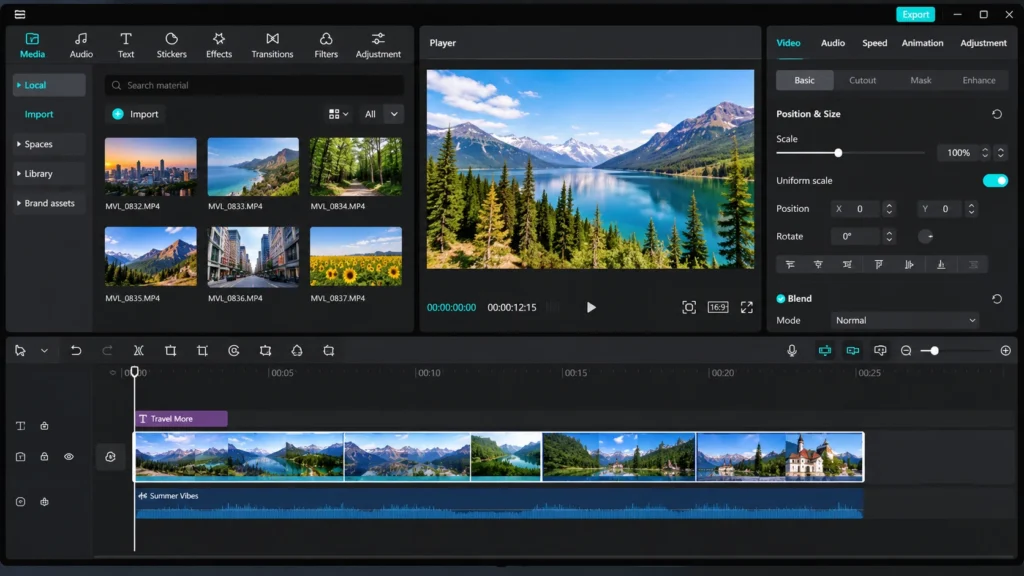
Another useful aspect is the ability to continue refining the project. Creators can request changes to the structure, adjust clip placement, explore suitable templates, and work with captions and visual elements. They can also move into CapCut’s editing environment for more detailed adjustments.
The important distinction is that the output remains an editable starting point rather than a finished video that must be accepted without changes.
Where it fits: Social media videos, short promotional content, tutorials, product demonstrations, and footage-heavy projects that need an organized first cut.
2. ChatGPT: Scriptwriting, Storyboarding, and Production Planning
ChatGPT itself is useful throughout the video production process, even when it is not directly editing footage.
Creators can use it to develop scripts, generate opening hooks, organize storylines, write voiceover text, and prepare scene-by-scene instructions. It can also help turn a broad topic into a structured production plan.
For example, someone creating a five-minute educational video could ask ChatGPT to divide the subject into sections, suggest visuals for each section, and prepare narration that matches the intended audience.
It can also help with practical editing decisions. A creator might describe a problem with the pacing of a video and ask for suggestions on where to shorten scenes or introduce supporting visuals.
However, these suggestions do not automatically change the footage. Unless a connected application provides the necessary editing functionality, the user still needs to apply the changes in a separate editor.
Where it fits: Pre-production, scripting, content planning, narration development, and creative problem-solving.
3. Runway: AI-Assisted Visual Editing and Generation
Runway is another tool worth understanding when exploring AI-powered video production. Its focus is on generative video and AI-assisted visual workflows.
Rather than functioning primarily as a conventional ChatGPT editing application, it provides creative capabilities that can help users develop or transform visual material.
Depending on the available tools and features, creators can explore AI-generated footage, modify visual elements, experiment with different scene concepts, and produce material for use in larger projects.
This can be particularly useful when a video requires visuals that would otherwise be difficult or expensive to capture.
For instance, a marketing creator developing a conceptual advertisement might use generative tools to explore different visual directions before assembling the final sequence in an editing environment.
Its main strength is visual experimentation, although users should distinguish between generating new footage and editing an existing timeline.
Where it fits: Creative experimentation, generative visuals, concept videos, and supplementary footage.
4. Descript: Editing Through Text and Transcription
Text-based editing is another area where AI can make video production more accessible.
Descript is known for connecting transcription with audio and video editing. Instead of navigating a timeline for every small correction, users can work with a text-based representation of their recorded content.
This approach is particularly useful for interviews, podcasts, educational videos, and presentations.
Imagine recording a 30-minute interview and discovering that several sections contain repeated statements or unnecessary pauses. A text-based editing workflow can make it easier to locate those sections and remove unwanted material.
Transcription also provides a foundation for captions and content repurposing. Creators can work with recorded conversations and prepare shorter versions for different platforms.
It is important to understand that Descript is a separate editing application rather than simply a ChatGPT feature. Its usefulness comes from the way it makes spoken-content editing more manageable.
Where it fits: Podcasts, interviews, talking-head videos, webinars, and educational content.
5. Canva: Templates and Accessible Video Production
Canva is another useful option for creators who need straightforward video production without a complicated editing process.
Its template-based environment makes it possible to create social media clips, presentations, advertisements, and branded content using existing design resources.
Users can combine video footage, images, text, animations, and audio to create content for different publishing formats.
AI-assisted features can also help with creative planning and content development. ChatGPT can contribute scripts, headlines, captions, and scene ideas, while Canva provides the workspace for assembling the visual material.
This distinction matters because generating a video concept with ChatGPT and assembling the actual video in Canva are separate activities.
Canva is particularly accessible for people who prioritize visual consistency and quick production over advanced timeline controls.
Where it fits: Social media graphics, promotional clips, presentations, branded videos, and template-driven content.
How to Decide Whether an AI Video App Actually Meets Your Needs
Choosing a video application becomes easier when the decision is based on the type of work involved rather than the number of AI features advertised.
A creator producing daily social media content may prioritize speed, templates, automatic captions, and straightforward editing controls. Someone making educational videos may care more about accurate transcription, voiceovers, and the ability to remove unnecessary pauses.
Businesses have different requirements. Marketing teams often need consistent branding, reusable layouts, multiple aspect ratios, and the ability to revise content without rebuilding an entire project.
Before selecting an application, consider the following factors.
Editing Control
Check whether the application allows you to modify individual clips, change their duration, rearrange scenes, and adjust transitions. A tool that only generates a completed video may not provide enough flexibility for projects requiring several revisions.
AI Assistance
Consider which tasks the AI can genuinely simplify. Automatic scene selection, caption preparation, script generation, and footage organization can save time, but their usefulness depends on how well they fit your production process.
Output Quality
The final video should meet the technical requirements of its intended platform. Resolution, aspect ratio, frame rate, audio quality, and caption readability all matter.
Ease of Use
An application should make routine tasks easier rather than introduce unnecessary complexity. A simple interface can be especially valuable for creators who do not have professional editing experience.
Flexibility for Future Projects
Think about whether the application can support more demanding projects as your requirements grow. Editable timelines, reusable assets, and flexible export options become increasingly important when producing content regularly.
A Practical Example: Turning Raw Footage into a Social Media Video
Consider a small business owner who records several short clips while demonstrating a new product. The footage includes an introduction, close-up product shots, a demonstration, and a final promotional message.
Without AI assistance, the creator would need to review the footage, identify useful sections, arrange the scenes, add captions, adjust the audio, and prepare the final export.
A connected AI workflow can simplify the initial stages.
First, the creator can describe the intended result, including the audience, video length, and preferred style. The AI can help organize the footage into a logical sequence and prepare an initial editing structure.
Next, the creator reviews the selected clips. Any irrelevant sections can be removed, while important product details receive more attention. Captions and supporting text can then be added to make the video easier to follow.
Finally, the project moves into detailed editing. The creator checks the pacing, adjusts audio levels, reviews transitions, and confirms that the finished video communicates the intended message.
The important point is that AI does not eliminate creative judgment. It reduces repetitive work and provides a useful starting point, while the creator remains responsible for the final result.
Common Mistakes When Using ChatGPT for Video Editing
Although AI tools can simplify production, they are not completely independent creative solutions. Users should be aware of several common mistakes.
Accepting the first draft without reviewing it: Automated editing can occasionally select irrelevant footage or create awkward transitions. Every draft should be checked before publication.
Providing vague instructions: General requests often produce generic results. More specific instructions about pacing, scene order, video length, and audience can lead to more useful outputs.
Ignoring audio quality: A video may look visually impressive but still feel unprofessional if the narration is unclear or the background music is too loud.
Using too many effects: AI can make it easy to experiment with transitions and animations, but excessive visual effects can distract from the main message.
Forgetting platform requirements: A horizontal video may not be suitable for a vertical short-form platform. Creators should consider the destination format before beginning the editing process.
Overlooking accuracy: Automatically generated captions and scripts can contain mistakes. Names, figures, product descriptions, and important statements should always be checked.
Final Thoughts
ChatGPT has become a valuable part of modern video production, but not every connected application actually edits video. Some tools focus on scripts, storyboards, and creative planning, while others provide generative capabilities or more direct editing support.
The most useful choice depends on the work involved. CapCut offers an interesting connected workflow for creators who want conversational assistance alongside editable video projects. Descript is particularly relevant to spoken-content editing, Canva supports template-driven production, and Runway provides opportunities for generative visual experimentation. ChatGPT itself remains useful for planning and developing ideas throughout the process.
Ultimately, the best application is not necessarily the one with the most AI features. It is the one that helps creators produce better videos while retaining enough control to review, refine, and personalize the final result.