
What Should Mobile Phone Diagnostics Software Check Before Resale?
When a used smartphone enters a resale or refurbishment workflow, checking whether it powers on is only the beginning. Hidden hardware defects, poor battery health, connectivity issues, non-original components, or a blocked IMEI can all affect the device’s value and whether it is suitable for resale.
Mobile phone diagnostics software helps businesses standardize these checks and document the results before a device moves to grading, pricing, repair, or resale.
Quick Answer: What Should Phone Diagnostics Software Test Before Resale?
Mobile phone diagnostics software should check the key hardware and functional components that affect a device’s condition and resale value, including the display, battery, cameras, audio, sensors, connectivity, buttons, charging, and device identity.
A complete testing workflow should also produce documented results that can be used during grading, pricing, resale, or warranty decisions. Modern diagnostics platforms can combine functional testing with IMEI and device-status checks, helping businesses make more consistent decisions about pre-owned devices.
Why Should Phones Be Tested Before Resale?
A visual inspection can identify obvious problems such as a cracked screen or damaged housing, but many functional problems are not visible from the outside.
A phone may look acceptable while having:
- Degraded battery health
- Dead pixels or touchscreen problems
- Camera or autofocus issues
- Faulty microphones or speakers
- Sensor failures
- Wi-Fi or Bluetooth problems
- Charging issues
- Non-original components
- IMEI, carrier-lock, or device-status issues
These problems can affect the resale price and may lead to returns or warranty claims after the device reaches the customer. NSYS notes that automated diagnostics can provide objective condition data that supports grading, pricing, refurbishment, and resale decisions.
For businesses processing large numbers of devices, the goal is not simply to test phones. It is to apply a consistent testing process to every device and retain the results.
What Should Mobile Phone Diagnostics Software Check?
A useful phone testing workflow should cover the major functional areas of the device.
Functional Testing Checklist
| Component | What to Check |
| Display and touchscreen | Dead pixels, display response, touch areas, multi-touch and other screen-related issues |
| Battery | Battery health, capacity, cycle information and performance |
| Cameras | Front and rear cameras, autofocus, flash and supported camera functions |
| Speakers and microphone | Speaker output, microphones, receiver and other audio functions |
| Buttons | Physical button functionality and response |
| Sensors | Proximity, accelerometer, gyroscope and other supported sensors |
| Wi-Fi and Bluetooth | Wireless connectivity and device communication |
| Cellular connectivity | Network-related functionality and device connectivity |
| Charging | Charging functionality and related hardware issues |
| Device identification / IMEI | IMEI extraction and status checks such as blacklist, SIM lock or other device restrictions |
The exact tests available depend on the device model and operating system. NSYS Diagnostics, for example, performs more than 60 automated and semi-automated tests and can identify more than 100 hardware defects.
1. Display and Touchscreen
The display is one of the first components businesses should evaluate because screen problems can directly affect the resale value of a phone.
Testing can include:
- Display quality
- Dead pixels
- Touchscreen response
- Multi-touch functionality
- Unresponsive areas
- Other supported display functions
A phone can pass a basic visual inspection while still having touchscreen or pixel problems that become obvious during use. NSYS testing materials specifically identify display and touchscreen checks among important smartphone diagnostics.
2. Battery
Battery condition is particularly important for used phones because battery performance naturally changes over the device’s lifetime.
Depending on the device and diagnostic platform, businesses may want to evaluate:
- Battery health
- Current capacity
- Design capacity
- Charge cycles
- Battery stress performance
- Whether the battery is original or replaced
NSYS Diagnostics supports battery-related checks, including battery health and capacity information, as part of its broader device testing workflow.
3. Cameras
Camera problems are not always obvious from a quick inspection. A diagnostics process can check supported front, rear, telephoto or ultra-wide cameras, along with functions such as autofocus and flash.
This is especially relevant for refurbished devices because camera performance can affect both the customer’s experience and the device’s resale classification. NSYS documentation lists multiple camera tests among its mobile diagnostics capabilities.
4. Speakers and Microphones
Audio components should also be tested before resale.
The testing process can cover:
- Main speakers
- Earpiece or receiver
- Front and rear microphones
- Other supported audio functions
- Vibration
These issues can be difficult to identify through visual inspection but can become major problems for the next owner.
5. Buttons and Sensors
Physical controls and sensors are another important part of functional testing.
Depending on the device, testing may cover buttons along with sensors such as:
- Proximity sensor
- Accelerometer
- Gyroscope
- Other supported device sensors
- Biometric functions
NSYS Diagnostics’ current certification materials describe testing across displays, cameras, audio, sensors, wireless modules, charging, battery health and biometrics.
6. Wi-Fi and Bluetooth
Wireless connectivity should be checked before resale because connectivity failures may not be apparent during a basic inspection.
Testing Wi-Fi and Bluetooth helps confirm that supported communication functions are operating correctly before the phone moves further through the resale process.
7. Cellular Connectivity
A phone can look and function normally while still having network-related restrictions or problems.
Businesses should therefore distinguish between testing general device functionality and verifying the device’s identity and network status. IMEI-related checks can help identify issues such as blacklist status, SIM lock, or other restrictions.
8. Charging
Charging functionality is another important checkpoint. A device that appears fully functional but cannot reliably charge can quickly become a return or warranty problem.
Charging tests can help identify problems with the charging function before the device is sold.
9. Device Identification and IMEI
IMEI verification is particularly important when buying or reselling used phones.
The IMEI can be used to identify the device and check relevant status information. NSYS Diagnostics integrates IMEI checks for factors including blacklist status, SIM lock, MDM and financial status.
This gives businesses information beyond physical and functional testing. It helps answer an equally important question: Is this device suitable to enter the resale inventory?
Which Tests Are Most Important for Used iPhones?
For used iPhones, businesses should pay particular attention to the display and touchscreen, battery, cameras, audio, sensors, buttons, connectivity and device identity.
Component authenticity can also matter. NSYS Diagnostics can check the authenticity of certain iPhone components, including the LCD display, battery, motherboard, and front and rear cameras.
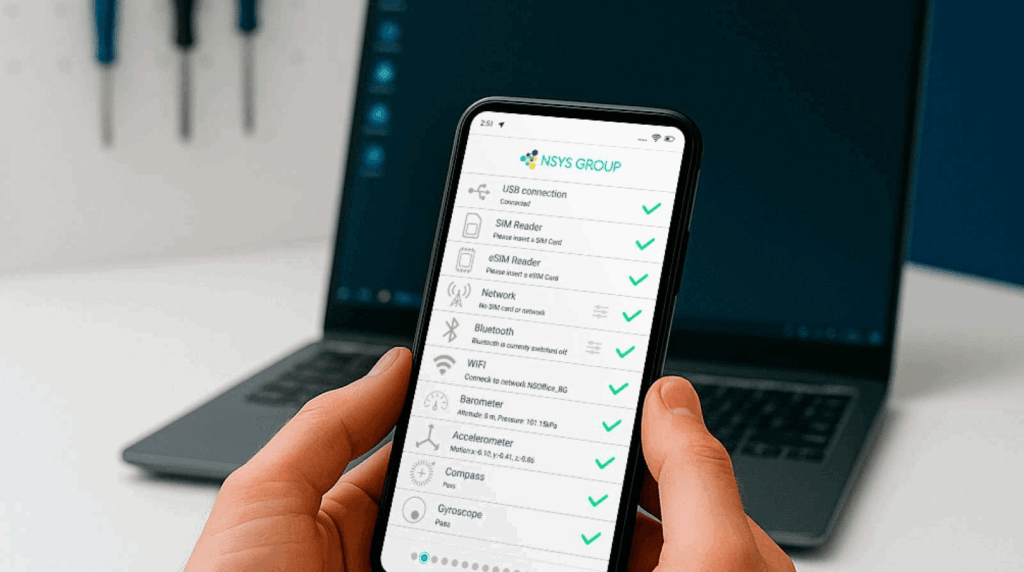
IMEI and device-status checks are another important part of the process. A phone can pass functional testing but still present a resale problem if it has an applicable lock, blacklist status, or other restriction.
The exact testing requirements will vary by iPhone model and the standards used by the business.
Which Tests Are Most Important for Used Android Phones?
Android testing follows the same basic principle, but the specific checks can vary across manufacturers and models.
A typical Android testing workflow should cover:
- Display and touchscreen
- Battery
- Cameras
- Speakers and microphones
- Buttons
- Sensors
- Wi-Fi and Bluetooth
- Cellular functions
- Charging
- Device identification and status
Standardization becomes particularly useful with Android because businesses may process devices from different manufacturers, with different hardware configurations and software interfaces.
A diagnostics platform can provide a consistent testing framework rather than requiring technicians to remember a separate manual checklist for every model. NSYS Diagnostics supports both iOS and Android devices.
Why Is Testing Consistency Important When Reselling Phones?
Two technicians can inspect the same phone and reach different conclusions if they follow different processes.
This becomes a larger problem when a business processes hundreds or thousands of devices.
Consistent testing helps businesses:
- Apply the same checks across devices.
- Reduce the chance of skipped tests.
- Create standardized condition data.
- Support more consistent grading and pricing.
- Identify defects before resale.
- Keep a record of the device’s condition.
- Make testing easier to scale across teams and locations.
NSYS describes its diagnostics platform as providing a standardized testing process across iOS and Android devices, with results stored digitally.
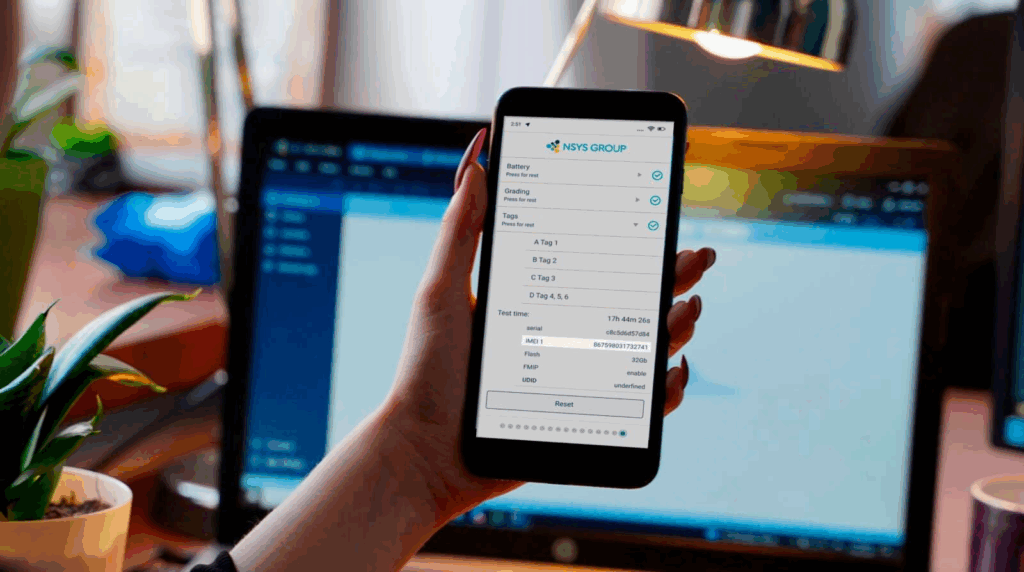
Consistency is especially important when diagnostic results influence the next operational decision. A battery issue, camera defect or IMEI restriction should not be missed simply because a different employee tested the device.
How Should Businesses Document Diagnostic Results?
Testing is more useful when the results are recorded rather than simply communicated verbally.
A useful diagnostic record can include:
- Device model
- IMEI
- Operating system information
- Individual test results
- Detected defects
- Battery information
- Device status checks
- Testing date and time
- Technician or operator information, where supported
- Overall diagnostic result
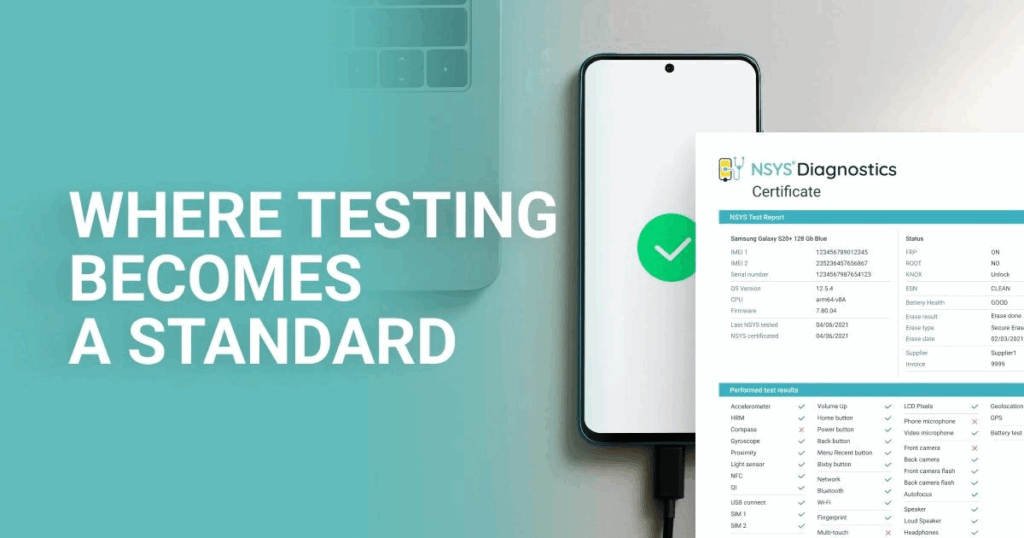
NSYS Diagnostics can generate reports and certificates containing test results. Its newer certification system also links certificates to the device’s IMEI and stores the record in the NSYS cloud.
This documentation can be useful internally for quality control and externally when a business needs to demonstrate the condition of a device to a customer or marketplace.
Can Diagnostic Software Connect Testing With Grading and Pricing?
Yes. Diagnostic results can become an input for later decisions in the used-device workflow.
For example:
Device intake → Diagnostics → Repair decision → Grading → Pricing → Data erasure → Resale
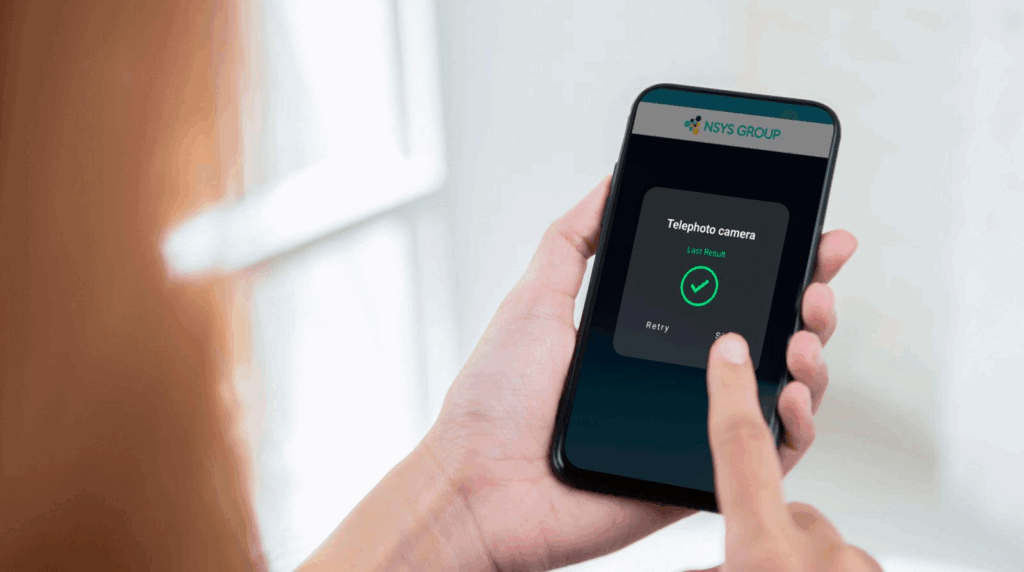
A diagnostic result can identify functional defects that need to be repaired before resale or considered when determining the device’s condition.
This is where diagnostics can become more valuable than an isolated testing tool. NSYS has connected solutions for diagnostics, grading, buyback, data erasure and inventory, allowing information from one stage of device processing to support later stages.
The diagnostic result does not replace cosmetic grading or a business’s pricing rules. Instead, it provides objective functional information that those processes can use.
NSYS Diagnostics: Testing for Pre-Owned Mobile Devices
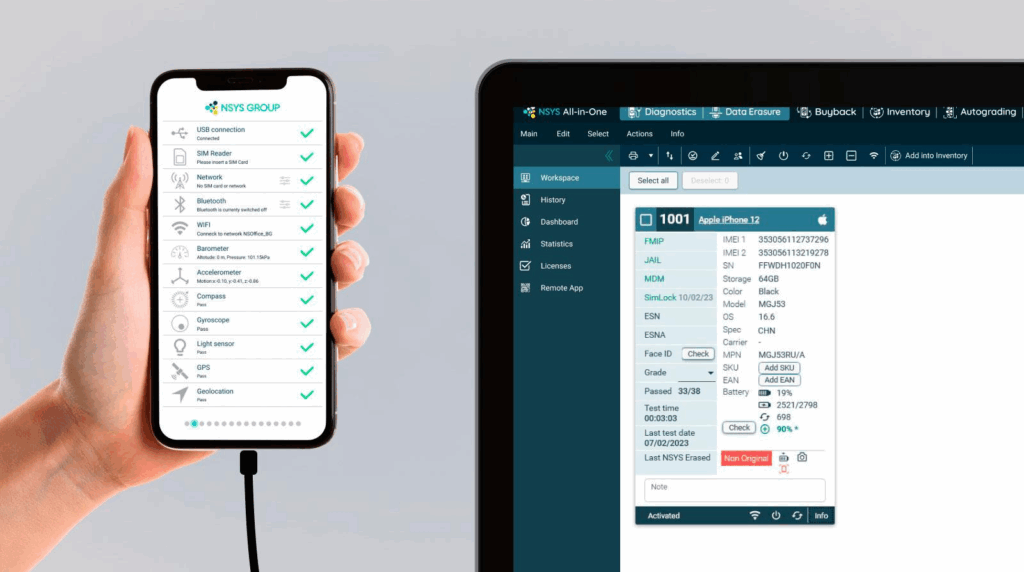
NSYS Diagnostics is designed for businesses testing used and refurbished mobile devices. The platform supports iOS and Android smartphones and provides more than 60 automated and semi-automated tests to identify over 100 possible hardware defects.
The platform covers areas such as:
- Display and touchscreen testing
- Battery checks
- Camera testing
- Audio and microphone testing
- Sensor checks
- Connectivity testing
- IMEI and device-status checks
- Non-original component detection on supported iOS devices
- Diagnostic reports and certificates
It also supports workflow features such as auto-activation, label printing and cloud-based results.
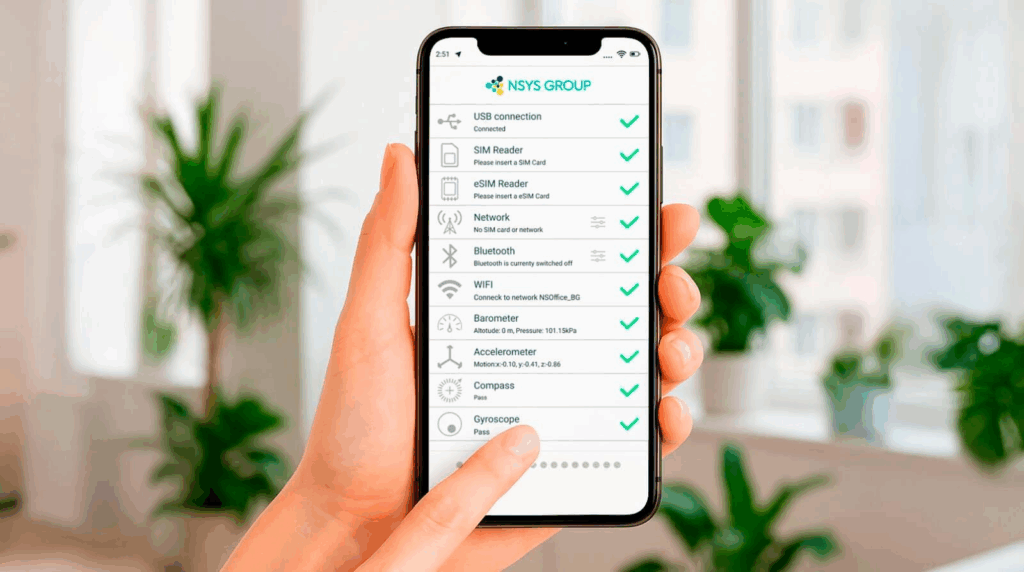
For businesses processing pre-owned phones, this means testing can become a structured part of the resale workflow rather than a separate manual task.
Frequently Asked Questions
What should be checked before selling a used phone?
A used phone should be checked for display and touchscreen functionality, battery health, cameras, speakers and microphones, buttons, sensors, connectivity, charging, and device identity. Businesses should also check for relevant IMEI or network restrictions before purchasing or reselling a device.
What does mobile diagnostic software test?
Mobile diagnostic software can test multiple hardware and functional components, including the display, battery, cameras, audio, sensors, connectivity and other device functions. Depending on the platform, it can also perform IMEI and device-status checks.
Can phone diagnostics detect hardware problems?
Yes. Diagnostics software can identify supported hardware defects through functional tests. NSYS Diagnostics performs more than 60 automated and semi-automated tests designed to detect more than 100 hardware defects.
Should refurbished phones be tested before resale?
Yes. Testing helps confirm that a refurbished phone’s key functions are working before it reaches the customer. It can also provide documented condition data for grading, pricing, quality control and warranty-related decisions.
How are phone diagnostic results documented?
Diagnostic platforms can store individual test results and generate reports or certificates. NSYS Diagnostics provides testing certificates that can be shared with customers, while its certification system links device records to the IMEI.
Final Takeaway
A proper pre-resale phone test should go beyond checking whether a device turns on. Mobile phone diagnostics software should evaluate the functions that directly affect device quality and resale value, while also documenting the results.
For businesses processing used phones at scale, the combination of functional testing, device-status verification and standardized reporting creates a more consistent foundation for grading, pricing, repair and resale decisions.