
Signs Your App Prototype Needs a Proper Backend Before Launch
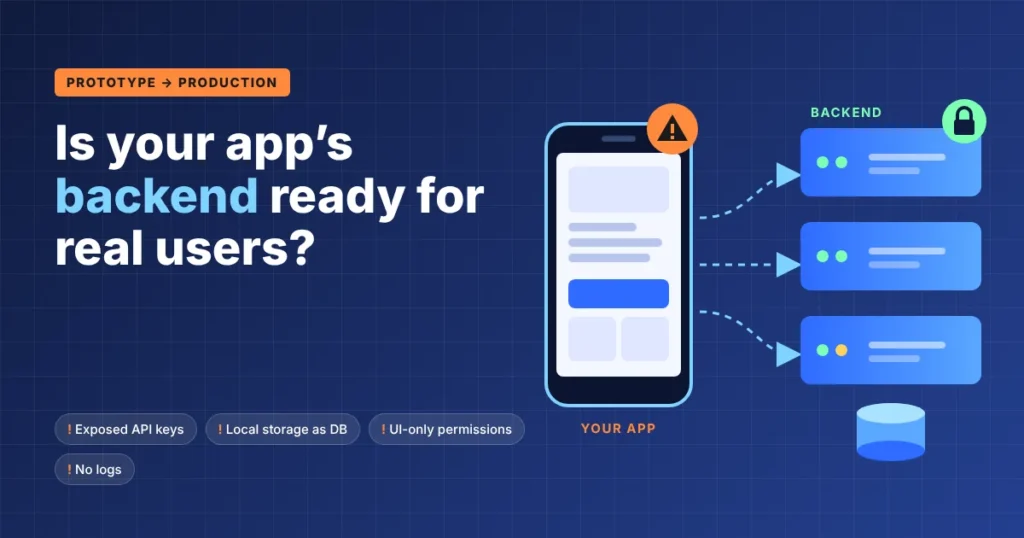
A prototype is supposed to take shortcuts. Hardcoded content, local storage, a simple Firebase setup, or a few direct API calls may be all you need to test an idea and put something usable in front of early testers.
Those shortcuts become more important as launch approaches. Real users create persistent data, make simultaneous requests, abandon processes halfway through, lose connectivity, and occasionally do things the interface was never designed for. At that point, reviewing the current setup with your developers or the SysGears backend advisory team can help determine which prototype decisions are still acceptable and which need to change before release.
That does not mean every app prototype needs to be rebuilt around a custom backend. Firebase, Supabase, AWS Amplify, and similar managed services are used in production. The problem is not that a backend is managed or relatively simple. It is that the current setup may no longer match what the product is asking it to do.
Here are the signs worth paying attention to.
Your Frontend Is Making Decisions It Shouldn’t Control
Prototype code tends to accumulate logic in the easiest place to put it. Often, that is the frontend.
Say you are testing an e-commerce app. The client retrieves a product price, applies a promotional discount, calculates the final amount, and sends that number to the payment flow. It may be perfectly adequate for a demo. It is a bad production boundary because values controlled by the client can potentially be modified before the request reaches a trusted system.
The same distinction applies to permissions, subscription entitlements, transaction rules, and other decisions that affect money or access to protected resources. Hiding an admin button from a regular user is a UI decision. Preventing that user from performing the admin operation is an authorization decision, and it needs to be enforced outside the client.
There is also a less dramatic reason to move some work server-side: efficiency.
Sorting 30 records already loaded on a phone is fine. Downloading 30,000 records so the phone can filter them down to 20 is not. As datasets grow, filtering, aggregation, pagination, and search often make more sense closer to the database. The client receives the data it actually needs instead of doing unnecessary work with the entire dataset.
Local Storage Is Doing a Database’s Job
There is nothing inherently wrong with local storage. Mobile and web applications use it for caches, preferences, drafts, session-related information, and offline workflows.
Trouble starts when it becomes the only copy of data the business cannot afford to lose.
Imagine a scheduling app that stores appointments only on the user’s phone. It works during a product demo. Then a user replaces the phone, clears application data, or signs in on another device. Now the product has to answer a question the prototype never had to address: where is the authoritative copy of that appointment?
Browser storage has its practical limits as well. Browsers apply storage quotas, and storage behavior varies by both API and browser conditions. localStorage, for instance, is useful for small amounts of origin-specific client data. It was never intended to serve as the central database for a multi-user application.
Production data storage usually needs explicit decisions about persistence, backups, querying, access control, retention, and synchronization between devices. Local copies may remain part of that design, particularly for offline use. They just should not become the system of record by accident.
A Secret API Key Is Sitting in the App
This one should stop a launch.
Anything shipped to a browser or mobile client has to be treated as accessible to the user. Obfuscating a key does not turn the client into a trusted environment.
The distinction between public and secret credentials matters here. Stripe deliberately provides publishable keys for client-side use, while its secret keys belong on a server. Google Maps APIs use their own restriction mechanisms. Other services follow different models. The correct rule is not “never put an API key in a frontend”; it is “never expose a credential that grants privileges the client should not have.”
If a prototype contains an OpenAI API key or a Stripe secret key, for example, that credential should be moved out of the distributed application.
A backend gives the app somewhere to perform the privileged operation. The client asks for an action; the server authenticates the request, checks whether it is allowed, validates the input, and calls the external service using credentials that stay on the server.
Your Permission Checks Exist Mostly in the UI
Permissions are easy when everybody can do roughly the same thing. They become harder once the product acquires several user types.
Consider a marketplace. Buyers need their own order information. Sellers may need access to orders involving their products. Support employees might need to view more records but should not necessarily be able to change payout details. Administrators may have another set of permissions entirely.
A prototype can make those differences appear to work by conditionally displaying screens and controls. That is not sufficient protection.
A user does not have to interact with your application through the buttons you provided. Requests can be inspected, reproduced, and modified. If changing /orders/123 to /orders/124 returns somebody else’s order because the server never checks ownership, the frontend permission model has failed.
OWASP continues to treat broken authorization as a major application and API security concern for exactly this reason.
As the role model becomes more complicated, authorization should become an explicit part of the backend architecture, not a growing collection of if statements controlling which buttons appear.
The App Assumes One Person Changes Data at a Time
Concurrency problems are easy to miss in prototype testing because prototypes are often tested by a handful of people under controlled conditions.
Production is messier.
Two employees open the same customer record and edit it. Two buyers attempt to purchase the last item in stock. A user starts changing a record offline while another user updates the server copy. Both versions can be valid from the perspective of the person making the change.
Which one wins?
There is no universal answer to this question. Some operations need database transactions. Others can use optimistic concurrency controls, version numbers, idempotency keys, or product-specific conflict rules.
Offline-first apps make the tradeoff especially visible. Saving an action locally and retrying it when connectivity returns is only half the problem. The system also has to handle the possibility that server state changed while the device was offline.
For a notes app, “last write wins” might be acceptable. For inventory, financial transactions, or clinical records, silently replacing one change with another can be a serious failure. The right conflict strategy depends on what the data represents.
Your BaaS Is Becoming a Constraint
Using Backend-as-a-Service does not mean an application has outgrown the prototype stage. Firebase has been used for years in production products, and Supabase offers production-oriented PostgreSQL hosting, authentication, storage, edge functions, and other backend components.
Replacing either one simply because an app is launching would create work without necessarily solving a problem.
There are still reasons to reconsider the setup.
A product may require database queries that are awkward with its current data model. Serverless functions may have execution or resource limits that do not suit a particular workload. Costs can change as reads, writes, storage, bandwidth, or function invocations increase. A workflow spanning several external services may also become difficult to coordinate from a collection of client calls.
Take a checkout flow that calls an inventory service, a payment provider, and an order-management system. If payment succeeds but order creation fails, something needs to know what happened and what to do next. Simply repeating all three requests can make matters worse.
At that point, adding a dedicated backend layer may be simpler than continuing to work around the original platform.
Background Work Depends on Someone Keeping the App Open
Some operations take longer than a normal request. Others need to happen when no user is interacting with the application at all.
Think about generating a large PDF, processing uploaded video, importing 50,000 records from a CSV file, retrying a failed webhook, or, for instance, sending a scheduled notification. Keeping a mobile application open until one of these jobs finishes is unreliable. Mobile operating systems can suspend background applications, and a lost connection can interrupt the process.
This is where queues and workers enter the picture.
A Python backend, for example, might expose an API with FastAPI or Django and hand longer-running jobs to Celery workers through Redis or RabbitMQ. A Node.js stack could solve the same problem with different tools. AWS Lambda, Google Cloud Run, or managed queue services may remove the need to operate dedicated workers at all.
The language is secondary. The important question is whether work that must survive beyond a single user request has somewhere reliable to run.
You Have No Evidence When Production Fails
During prototype development, debugging often starts with a developer reproducing the problem locally.
After launch, the bug report may look more like this: “I tried to pay yesterday evening, and nothing happened.”
That is not much to work with.
Once real transactions and asynchronous processes are involved, teams need enough server-side information to reconstruct what happened. Depending on the application, that can include structured logs, error tracking, request IDs, job states, metrics, as well as distributed traces. Tools like Sentry, Datadog, Grafana, and OpenTelemetry exist because production failures rarely arrive with convenient reproduction steps.
Observability has limits too. Logging everything is neither useful nor safe. Passwords, access tokens, payment details, and also other sensitive information should not end up in logs simply because they make debugging easier.
A useful test for launch readiness is whether your team could investigate a failed operation without having the user’s phone in front of them.
A Proper Backend Does Not Mean Building for Millions of Users
There is an opposite mistake to watch for: treating production readiness as an excuse to engineer for hypothetical scale.
An app expecting its first few hundred users does not need an architecture designed for Netflix traffic. Microservices, Kubernetes, multiple databases, elaborate event-driven workflows, and aggressive caching can add more failure points than they remove when the product does not yet need them.
A small application may be perfectly well served by one API, one PostgreSQL database, managed authentication, object storage, and a background worker. In some cases, a managed BaaS is enough.
The better question is whether the system has clear boundaries for the responsibilities it already has.
Before launch, look at where persistent data lives, where sensitive credentials are stored, how permissions are enforced, and what happens when two requests modify the same resource. Check how the application behaves when an external API times out or a user loses connectivity halfway through an operation. If a request can be retried, find out whether retrying it twice creates two payments, two orders, or two emails.
A prototype proves that the product idea can work. Production infrastructure has a different job: keeping that product predictable when real users and real failures enter the picture.
If those failures currently expose assumptions the prototype cannot handle, the backend is no longer a detail to deal with after launch.