Dating App Creator: Turn a Dating Website Into an Android App
Quick answer: AppsGeyser can turn an existing dating or community website into an Android app without requiring you to write Android code. The dating functionality itself should come from your website or web service. Prepare the site for mobile use, convert it with the website-to-app builder, test account and safety flows carefully, and then follow the current Google Play requirements before publishing.
What a Dating App Creator Can—and Cannot—Do
A website-to-app builder can package an existing dating or community website into an Android app experience. It does not automatically create a dating platform from scratch with matching algorithms, swipe mechanics, chat, video calls, identity verification, or moderation systems unless those features already exist in your underlying website or service.
This distinction matters because dating products handle sensitive user interactions and often personal data. Build the website and its safety systems first, then use the app as a mobile distribution channel.
Who This Approach Is For
This workflow can be useful for dating websites, matchmaking communities, social clubs, niche communities, friendship platforms, and other services that already operate online and want an Android app without maintaining a separate native codebase.
If you are new to this approach, see our broader guide on how to convert a website into an Android app.
What to Prepare Before Creating the App
- a mobile-friendly dating or community website;
- working registration, login, password recovery, and account deletion flows;
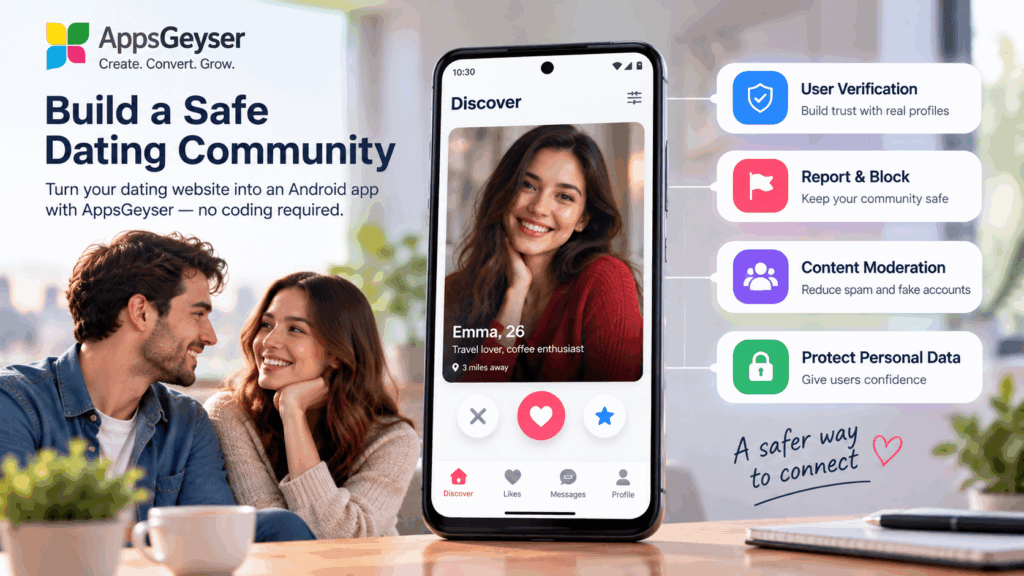
- clear community rules and reporting options;
- privacy and data-handling disclosures;
- moderation processes for abuse, spam, impersonation, and inappropriate content;
- an app name, icon, and visual identity you have the right to use.
Before converting the site, test the mobile web experience carefully. A native-looking wrapper cannot compensate for broken forms, unreadable profiles, confusing navigation, or unsafe community design.
How to Turn a Dating Website Into an Android App
1. Make the Website Mobile-Friendly
Check registration, profile editing, search, messages, forms, image uploads, subscription flows, and any matching or discovery tools your website already provides. Make sure buttons and forms are usable on small screens.
2. Open the AppsGeyser Website-to-App Builder
Use the AppsGeyser website app creator and enter the website you want to convert. The existing web service remains the source of the dating or community functionality.
3. Add the App Name and Branding
Choose a clear name and icon that match your service. Do not imitate the branding, interface, or trademarks of Tinder, Bumble, Hinge, or another dating service unless you have authorization.
4. Configure Supported App Options
Use the branding and navigation options available in your AppsGeyser setup. Keep the app interface focused on the workflows users already understand from the mobile website.
5. Preview the App
Review important screens before distribution. Pay special attention to login, registration, profile media, links, navigation, consent notices, account management, and any payment or subscription pages.
6. Test Safety-Critical Flows
Test blocking and reporting features if your service provides them. Verify that users can find community rules, privacy information, support contact details, and account controls. Also test what happens when a network request fails or a user loses connectivity during a form submission.
7. Prepare the Android Build
When the app works as expected, prepare the build required for testing or distribution. Our APK builder guide explains the Android packaging concept in more detail.
Privacy and Safety Matter More in Dating Apps
Dating and community services can involve profile photos, messages, location information, contact details, payment data, and other personal information. Your privacy policy and store disclosures should accurately describe what data is collected, why it is collected, how it is used, and whether it is shared.
Do not request permissions or personal information that your service does not need. If the website handles sensitive data, review its security before making the service easier to access through an app. Our article on website-to-app safety covers additional considerations.
Moderation and User Reporting
Community safety should not depend on the app wrapper. The underlying service should have practical controls for reporting abuse, blocking users, handling spam, removing prohibited content, and responding to safety complaints.
Age and Audience Controls
Dating services should define who the product is intended for and apply appropriate age and content controls. Requirements can vary by market, functionality, and store policy, so review the current Google Play rules that apply to your service before release.
Google Play Requirements for Dating Apps in 2026
Building the Android app is separate from being accepted on Google Play. Google applies technical, account, privacy, user-data, content, and store-listing requirements.
As of August 31, 2026, new Android mobile apps and app updates submitted to Google Play must target Android 16 (API level 36) or higher. Always confirm the current target API requirement before submission.
Personal Play Console accounts created after November 13, 2023 must also complete the applicable closed test before production access: at least 12 testers opted in continuously for at least 14 days, followed by an application for production access.
Use our guide on how to publish an app on Google Play and check the official Play Console documentation before release.
Can a Dating or Community App Be Monetized?
Eligible AppsGeyser apps can use available monetization options. Advertising may be one model, while the underlying website may support subscriptions or other paid services. Actual revenue varies and is never guaranteed.
For dating products, monetization should not interfere with safety controls, account management, privacy information, or essential communication. Make sure any paid features comply with the rules that apply to your distribution channel and business model.
Frequently Asked Questions
Do I need coding skills to make an Android app from my dating website?
No. AppsGeyser provides a no-code website-to-app workflow. You still need a functioning website, testing, and the required store and privacy work.
Does AppsGeyser automatically create matching, swipe, chat, or video-call features?
No such assumption should be made. The website-to-app workflow converts the web experience you already provide. Dating-specific functions should exist in the underlying website or service and should be tested there and inside the app.
Can I use a Tinder-style name or interface?
Avoid copying another service’s protected name, branding, artwork, or interface. Build your own identity and use only materials you are authorized to distribute.
Can I publish the app on Google Play?
Yes, if the app, website, content, data practices, and developer account satisfy the current Google Play requirements. Publication is not automatic.
Can I update the dating website after creating the app?
Yes. For a website-based app, many content and service changes can originate from the underlying website. Changes that affect the Android package itself may require a new build or store update.
Can the app make money?
Eligible monetization options may be available, but there is no guaranteed income. Revenue depends on audience, engagement, geography, business model, ad demand, and policy compliance.
Create an Android App for Your Dating Website
If your dating or community website is already mobile-friendly and has appropriate privacy and safety controls, start with the AppsGeyser website-to-app builder, test the result carefully, and prepare it for distribution only after the critical account and user-safety flows work correctly.